





Speeches + Announcements
Start with voice reinforcement when guests need to clearly hear an emcee, ceremony, presentation or announcement.
|
|||
|
|
Make sure the moment is heard. And seen when it needs to be.
Rent speakers, microphones, mixers, projectors, movie screens and event lighting for Rhode Island weddings, school programs, church events, graduations, presentations, community gatherings and private parties. Start with what your audience actually needs to hear or see, then compare the live Audio & Sound inventory for your event date.
Compare the current Audio & Sound rentals below, then open any item for its current requirements, pricing and date availability.
|
Audio and Sound Rentals
|
Audio and AV equipment is only one part of the event. Communication, timing and reliable service matter just as much.
Great company. We use them every year for a summer birthday party. Great prices, dependable, and full service. Highly recommend!
The staffs were on time and very respectful. I love your service and will recommend your business to my friends,family and neighbors. Thanks for your great service.
They were fantastic and super kind. Would recommend to anyone hosting a family fun event. Very affordable as well!
Audio and AV rentals solve different problems. Define the job first, then build the equipment list around it.
Start with voice reinforcement when guests need to clearly hear an emcee, ceremony, presentation or announcement.
Speakers and a mixer can support music playback and organized audio from multiple sources.
Build around the projector and viewing surface, then add sound when the content requires it.
Add uplighting or moving effects when the event needs a stronger visual environment.
These links cover the core customer-facing audio, projection, movie and lighting equipment represented in the current category.
A clean AV setup starts with the content source and works forward toward the audience. That helps prevent buying or renting pieces that do not solve the actual event requirement.
Determine where the voice, music, presentation or video originates.
Decide whether a mixer or other control point is needed.
Choose the speaker, projector, screen or lighting output.
Position the system around where people actually need to hear or see it.
For many events, the useful audio system is simpler than it first appears. Start with the source, then add only the control and output required.
Use a microphone when speeches, announcements or live voice need to enter the sound system.
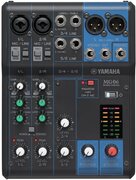
View Microphone →A mixer can organize multiple audio sources and provide a central control point for program audio.
View Stereo Mixer →The speaker is the audience-facing output. Placement should follow the event layout rather than block normal traffic.
View Powered Speaker →Projected events work best when the source, image, screen, sound and physical viewing area are planned together instead of as unrelated rentals.
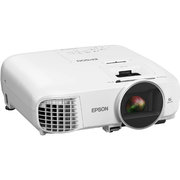
Start with the image source and projection needs for presentations, videos or movie content.
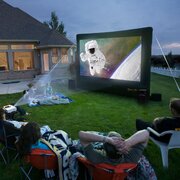
View Projector →Add a dedicated large-format viewing surface when the event calls for an outdoor movie-style setup.
View Movie Screen →Compare the bundled movie option when it makes more sense than selecting individual pieces separately.
View Movie Package →Lighting should support the environment rather than become another layer of equipment without a purpose. Choose the effect that matches the actual event.
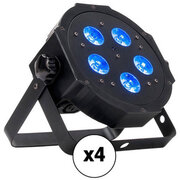
Add color around walls or event areas when the space needs a more finished visual treatment.
View Uplighting →Use multi-effect lighting when the event needs more movement and visual energy.
View GigBAR →Add a moving light effect when directional motion fits the event atmosphere.
View Moving Spotlight →Plan equipment placement, electrical access and cable routes before setup day. Exact requirements vary by rental, so the individual item page remains the source of truth.
Once the sound, projection or lighting plan is clear, add the physical rentals the venue or event still needs.
Start with the audience, the content and the venue. Then choose the equipment that actually solves the job.
Current customer-facing options represented in the category include powered speakers, microphones, mixers, projectors, an inflatable movie screen, a Movie Experience Package, lighting equipment and DVD playback.
Yes. The current category includes an Electro-Voice Powered Speaker and Shure SM58 Microphone . Review the live listings for availability and current setup details.
Yes. The current inventory includes a Projector rental for presentation and projected-content setups.
The category includes an Inflatable Movie Screen and Movie Experience Package .
Power requirements depend on the rental. Current inventory records show standard 110V household power requirements for equipment such as the Projector and Electro-Voice Powered Speaker. Always review the exact selected item before booking.
Current category equipment includes uplighting, a Chauvet DJ GigBAR 2 Light Bar and Moving Spotlight options. Choose the lighting based on the visual environment the event actually needs.
Pricing depends on the equipment selected. Use the native ERS store above for current rental pricing instead of relying on static category-page prices.
Use Order By Date to choose the event date and view current rental availability.
Start with your event date, decide what the audience needs to hear or see, and build the Audio & Sound setup around that requirement.